Overview
Online payments run through your pre-register flow. CoatCheck uses Stripe Connect so your business is onboarded securely (including identity verification) and funds go to your account.
Info
Payments for existing CoatCheck app users (outside pre-register) are planned for a future release.
How it works
- 1
Enable payments on pre-register
Turn on payments in your payment settings. The public pre-register page then shows the ticket price and Stripe checkout.
Showing a known payment provider helps customers trust the checkout experience.
- 2
Set your price
In payment settings, set the ticket price. Pricing is bound to your business location.
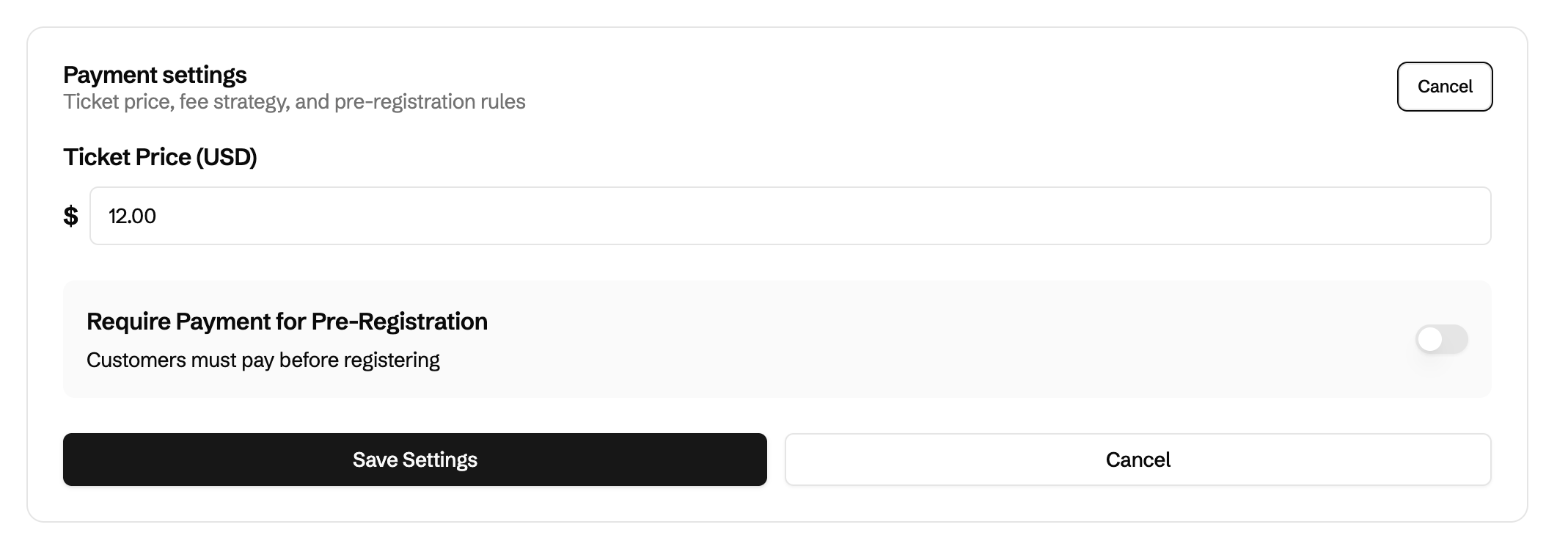
Payment settings in the dashboard - 3
Optional: require payment
Decide whether payment is required during pre-register or optional for the guest.
- 4
Staff sees paid status
When staff scan the pre-register QR or select the guest from the list, the UI shows that the customer already paid.
Important notes
- After a successful payment, CoatCheck creates an inactive account record for the pre-register phone number so the ticket can be tracked.
- The guest may change the phone number on the Stripe checkout form, but the ticket SMS still goes to the number they entered on pre-register.
- Subscription and usage fees are separate from guest payments—see Billing & pricing.