Back to CoatCheckCoatCheck Docs
⌘K

Coat Check

  • Overview
  • Get started
  • Customize your business
  • Invite your team
  • Staff App
  • Staff cheatsheet
  • SMS tickets
  • App tickets
  • Pre-register
  • Tags & NFC
  • Online payments
  • Billing & pricing
  • SMS pricing by country

Events

  • Introduction
  • Get started
  • Troubleshooting
  • Glossary
  • Integrations
  • Changelog
Contact support
  1. Overview
  2. Tags & NFC
Exit
Staff5 min read·Updated July 20, 2026

Tags & NFC

Tags identify hangers and belongings. Learn assignment, duplicate checks, and optional NFC stickers for faster check-in.

What is a tag

A tag is the label on a coat hanger or storage location—usually a number, sometimes letters and numbers. You assign it to a digital ticket so staff know which physical item to retrieve at checkout.

Note
You do not need to pre-register every text tag. If a tag is not registered yet, CoatCheck can create it when you issue a ticket.

Assigning tags

During ticket creation, enter the tag. CoatCheck checks that it is not already in use to prevent duplicate hangers.
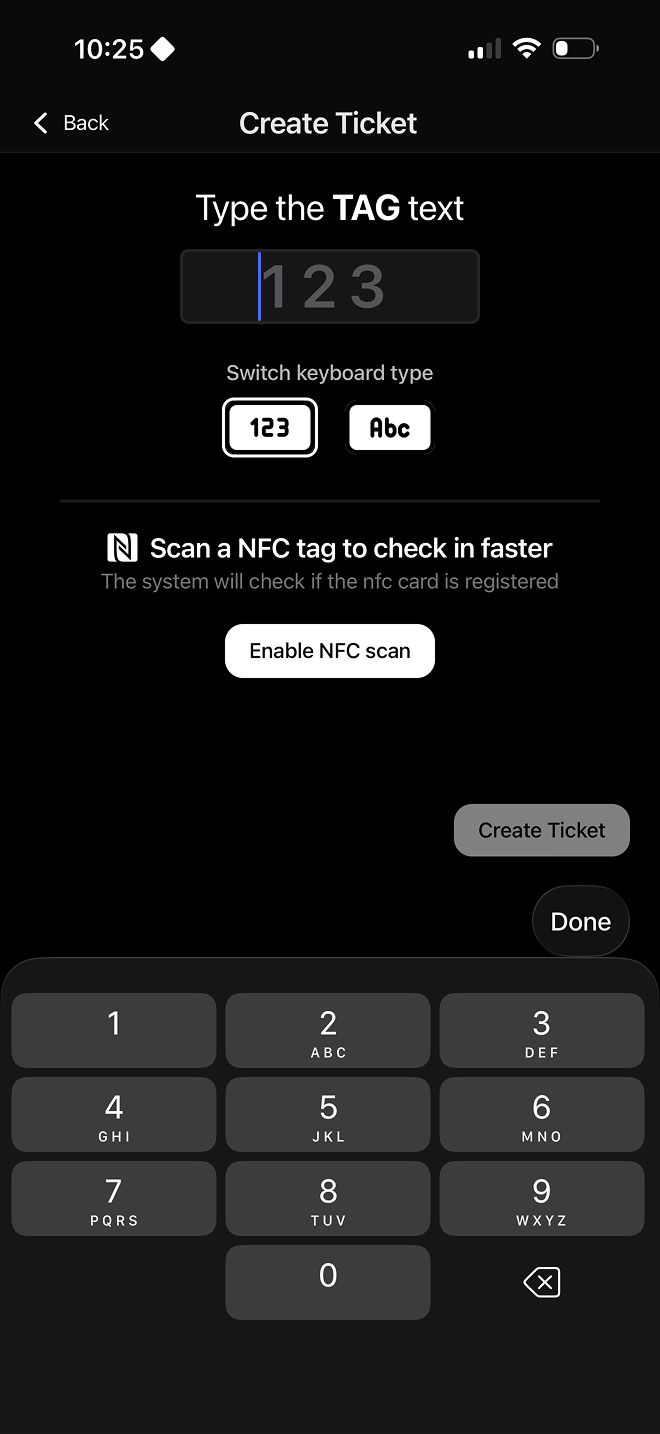

Create ticket with tag assignment
Assign a tag while creating a ticket
Tag availability check
Duplicate / in-use check when assigning a tag

Faster assignment with NFC

Optional NFC stickers or chips can be registered as NFC-type tags and linked to a text tag (hanger number). Tapping the chip is faster than typing the number.

Setup required
NFC tags must be registered and linked before use. At checkout, staff still see the linked text tag so they can find the correct hanger.

Link an NFC chip to a tag (web dashboard)

Your browser does not support the video tag.
0:00 / 0:00
Created with
PreviousPre-registerNextOnline payments

On this page

  • What is a tag
  • Assigning tags
  • Faster with NFC