What it is
The Staff App is a browser-based interface designed for cloakroom counters. It works best on tablets with a rear or USB camera. NFC is optional for faster tag assignment.
Tip
Keep a printed staff cheatsheet next to the tablet for new team members.
Core tasks
- 1
Check someone in
Use Check In. Prefer pre-register QR/list or app QR when possible; otherwise enter an SMS phone number. Assign a tag, create the ticket, optionally attach a photo.
Guides: SMS tickets · App tickets
- 2
Check someone out
Use Check Out / redeem. Scan the ticket QR, enter the 4-digit code, or run rescue lookup. Confirm the tag on the hanger, then resolve.
- 3
Handle edge cases
- Pre-register list — guest lost the QR page
- Rescue lookup — lost phone or dead battery
- NFC tools — register or link tags (Tags & NFC)
Interface gallery
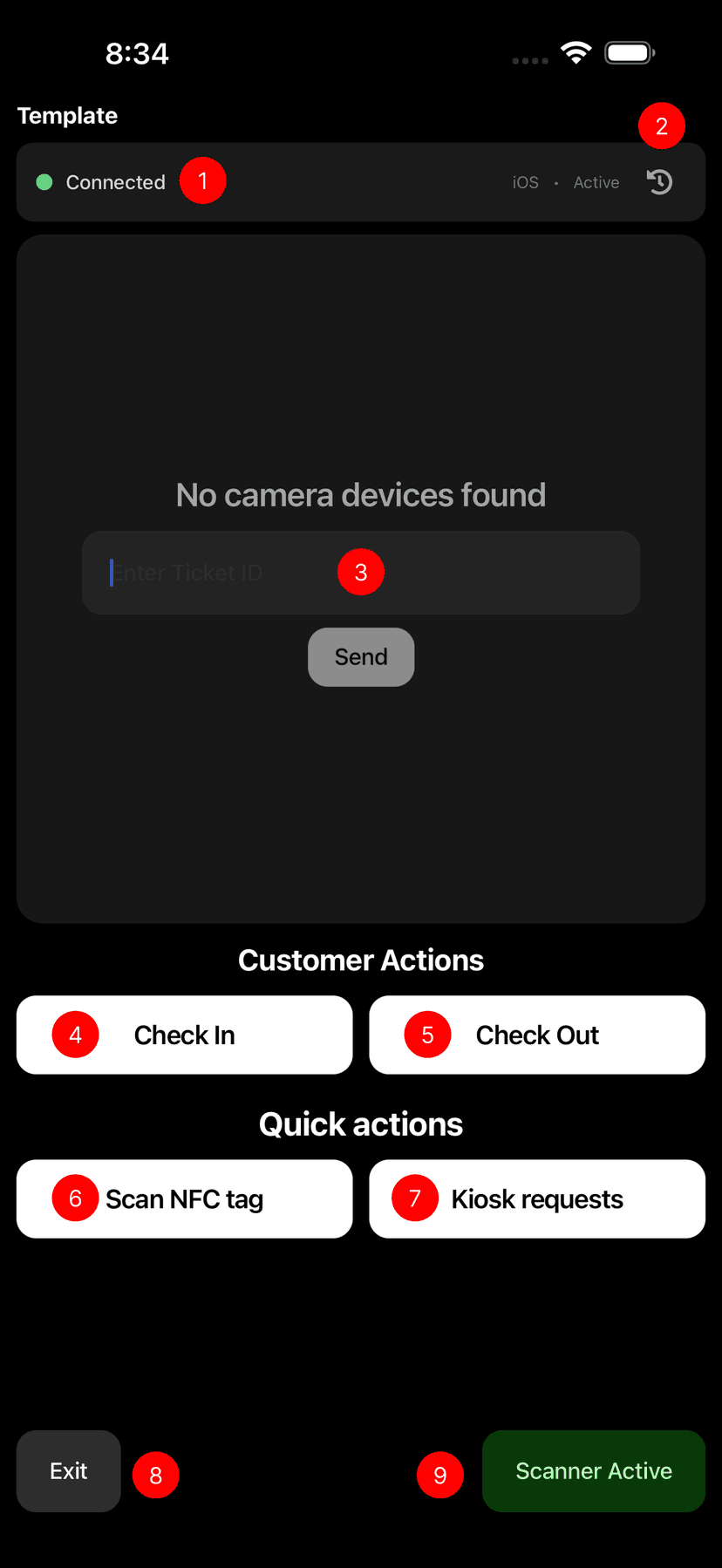
Check in
Create tickets and validate customers at the counter
Interface map
Numbers refer to controls on the Staff App screens above.
- Realtime connection — live data connection status
- Scan history — recent scans and transactions
- QR scanner — tickets and pre-registrations
- Check in — create tickets
- Check out — redeem tickets
- NFC — register and manage NFC tags
- Kiosk requests (beta) — pending self-service kiosk items
- Exit — sign out of the Staff App
- Scanner toggle — enable, disable, or reset the camera
- Manual SMS entry — type a phone number for an SMS ticket
- Pre-register list — customers who pre-registered
- 4-digit code — redeem with the SMS short code
- Open ticket lookup — search open tickets for extra operations